Showing posts with label TweetDeck. Show all posts

Monday, June 18, 2012

Why I use TweetDeck?

I have made couple of TweetDeck post before: 


TweetDeck & 100s of Twitter tools for Teachers and  All Features of Tweetdeck part 2 so this one must be the last part of TweetDeck trilogy. Here is a short tutorial explaining why I like to use TweetDeck. 


Saturday, August 13, 2011

All features of TweetDeck (part 2)

I had lots of feedback of my last post TweetDeck & 100s of Twitter tools for Teachers, what made me think, that I should go deeper in presentating features of TweetDeck. I tried to find all little details which future TweetDeck user would like to learn. 


How to use Tweetdeck (multiple accounts) with Amy Wood


How To Follow 15000+ People On Twitter Using These Tweetdeck Tips by Jesse Newhart


Video tutorials of special features of TweetDeck


Sunday, August 7, 2011

TweetDeck & 100s of Twitter tools for Teachers

I have posted about Twitter a few times before.  Twitter in Classroom part 1. ; Twitter in Classroom 2 ; Twitter in Classroom part 3; Updates: Facebook and Twitter in Classroom and Georgia Department of Defense: Tactical Guides of Social Media.
This post share some examples of other available Twitter tools  which gives extra boost on your tweeting.     

My top tool is TweetDeck. Best feature in TweetDeck is that i can see multible columns in one view, very quick look and i know whats happening, like example today i have 15 columns open. First all friends, my top list, my iPad list, mentions, #RSCON3, #finnedchat, favorites, direct messages, new followers, #edtech, #mlearning, #ipadchat, #ipaded, Facebook, Linkedin. 

I also open new columns for daily needs, like follow my new blog post retweeting (for thanking them), follow interesting hashtags, sometimes i follow one person, who has some spesific information, like Scott Newcomb @snewco from mlearning or @web20classroom Steven W. Anderson from everything related education technogy and many others.

Thats enough from my experiences, check out these tutorials, slides and links  from TweetDeck and other hundreds of Twitter tools.
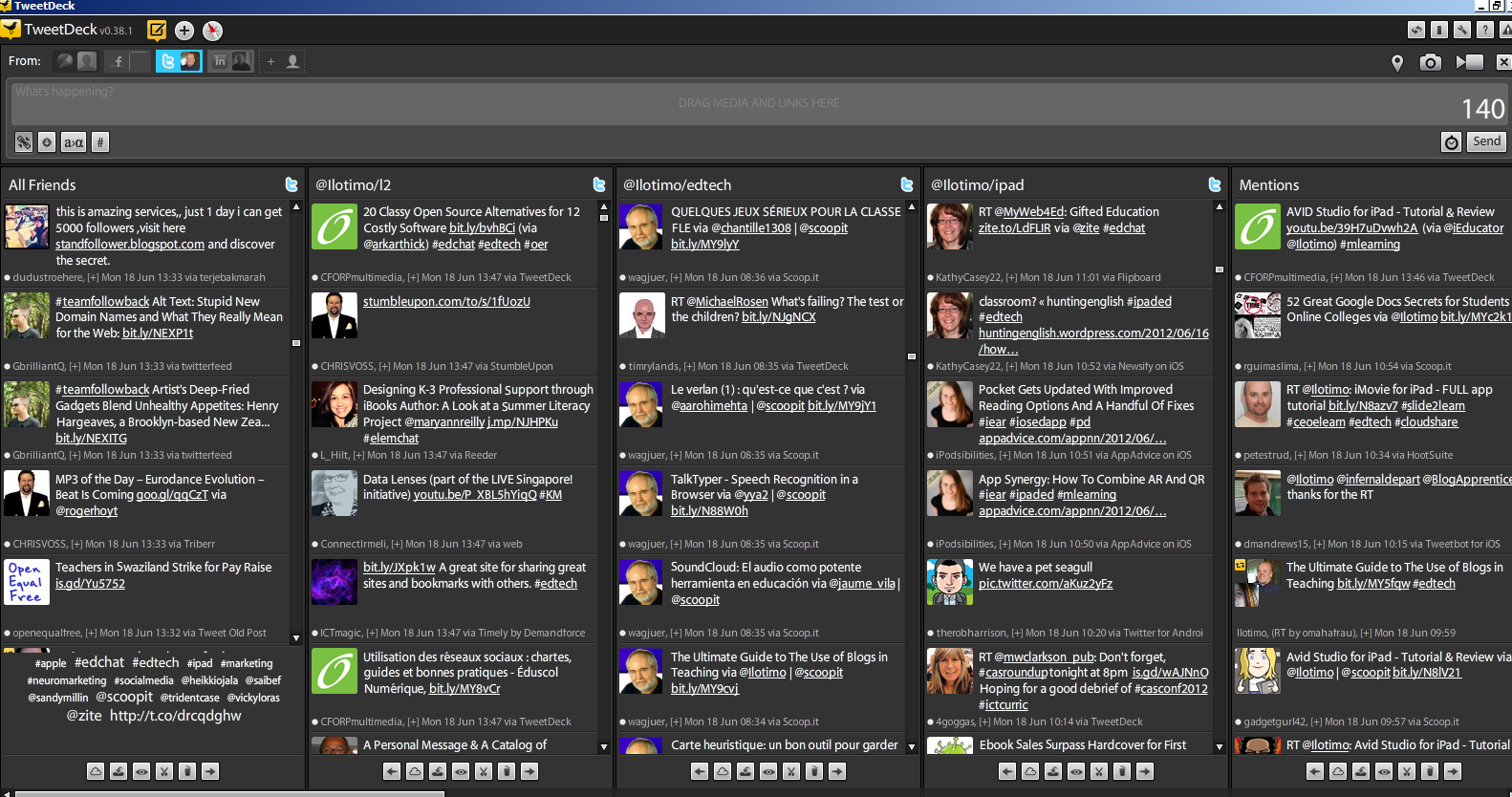
Josh Stumpenhorst @Stumpteacher tutorial: Twitter 102 (using TweetDeck)


Twitter: Top Twitter tools exposed & explaned by lightning speed by Zebolsen


Twitter 102 by Amanda L. Sage

Twitter tools for teachers

Top 100 Tools for the Twittering Teacher
150+ Ultimate Round-Up of Helpful Twitter Articles
99 Essential Twitter tools
Cybrarymans Twitter page
Tips, apps and resources for Twitter
Top 100 Twitter Tools
Top 50 tracking and analytics tools
Top 25 url shortener tools
10 Awesome Twitter Analytics and Visualization Tools
8 free tools visualize information on Twitter
18 best tools to analyze your Twitter hotness
Top 20 Sites to Improve Your Twitter Experience
18 Twitter Tools for Scheduling Future Tweets
27 Twitter Tools To Help You Find And Manage Followers